Chapter 6 · Plan
Don't Wander — Plan with Purpose
Think slow, act fast. Front-load the unknowns, then execute with momentum.

Step Inside
The plan phase engineers uncertainty out of everything downstream.
The plan phase sets direction and confirms product-market fit before design begins — it settles the why and the how before the what. Done well, it engineers the uncertainty out of everything downstream.
Two blueprints make the case. The Empire State Building was built on paper many times before the first rivet: scope frozen early, design decomposed into repeatable units, a logistics plan that turned a skyscraper into an assembly line. It finished ahead of schedule and under budget — in the Great Depression — because variability had been engineered out. The Sydney Opera House began with a gorgeous concept but broke ground before the hard engineering was solved; scope moved, interfaces shifted, and the final cost ran more than ten times the budget.
The lesson isn't daring versus caution — it's where daring belongs: concentrate learning and decisions at the front end, then exploit that clarity with speed.
A right-sized plan phase produces:
- Traceable requirements — vision → user stories → use cases → layered L0/L1/L2, each with testable acceptance criteria
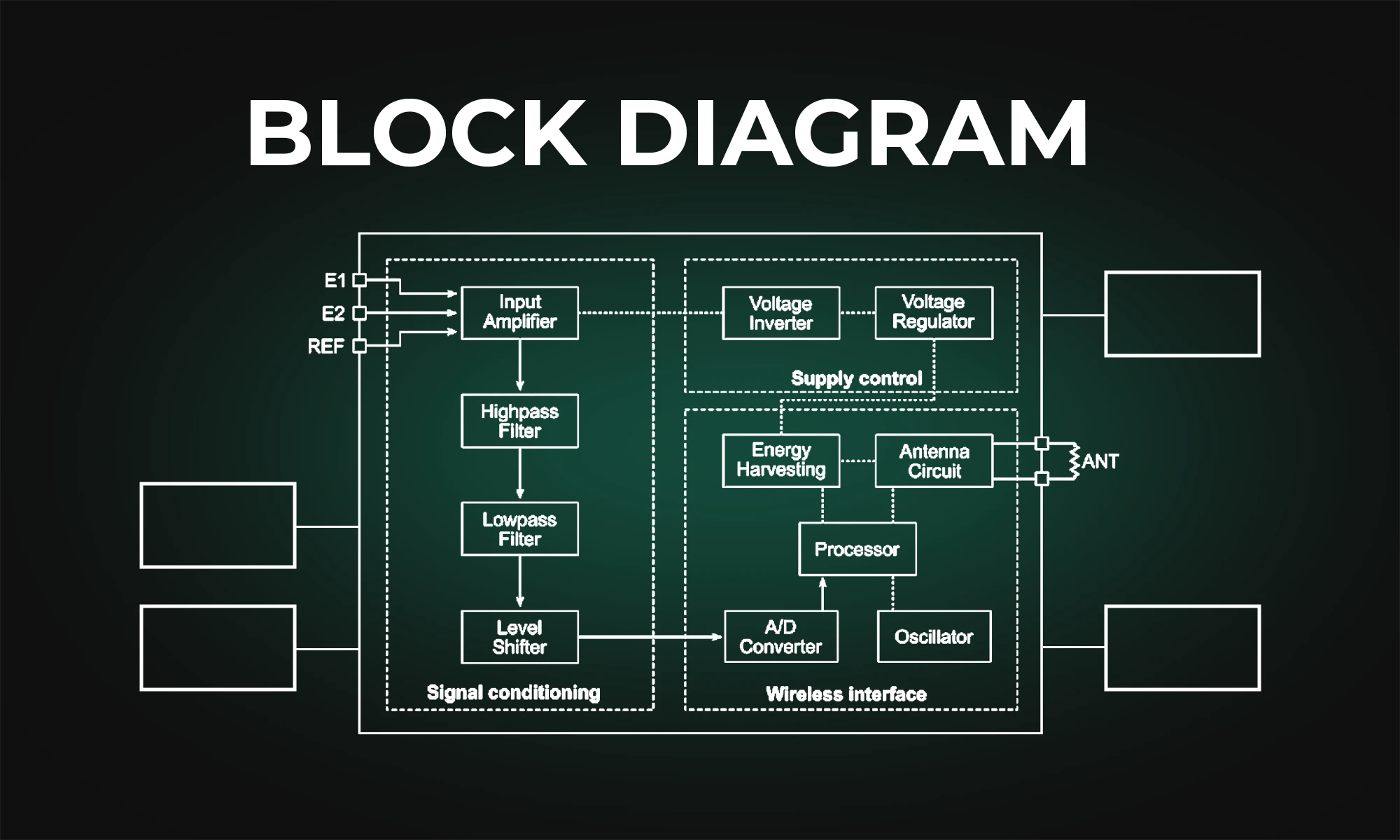
- Visible system architecture — a block diagram of fewer than ~10 subsystems, with interfaces defined in an ICD
- Milestone-driven story map and roadmap — dependencies, decision clocks, and long-lead items identified
- Owned risk-and-opportunity posture — named, scored, and actively worked
- Clean reviews — SRR and CoDR with explicit entry and exit criteria
Risk & Opportunity strategies at a glance: Risks → Avoid · Transfer · Mitigate · Accept. Opportunities → Exploit · Share · Enhance · Accept.
"Failing to plan is planning to fail." — Benjamin Franklin
The question for your project: are you still building on paper, or already pouring concrete?
Action Plan
Launching Your Plan Phase
Four steps to get started
-
Create your first block diagram.
A simple visual overview aligns everyone on what you're building and how the major subsystems fit together. Fewer than ten boxes is a feature, not a limitation. -
Label the interconnects.
Clarify how subsystems communicate — informationally and mechanically — to reduce integration surprises later. Capture these in an Interface Control Document (ICD). - Download the SRD, SRR, ICD, Risk Register, and other templates at the RSF Framers Community and customize them for your team. Turn ideas into an executable plan with living documents tailored to your project's needs.
-
Get some AI — it's a 10xer.
Check out the resources at rightsizedframework.com. Let AI handle tedious documentation so your team can focus on high-value thinking and problem-solving.

Directed Tools and Templates
Plan smarter, not harder.
Start with the Plan Hub for requirements and templates, then use the Review Hub to set your SRR and CoDR entry/exit criteria. The SE Hub provides systems architecture and interface guidance.
Self-Assessment
Plan-Phase Readiness
Planning is where teams either build momentum or quietly lock in delays. This assessment scores the five disciplines of a right-sized plan phase separately, so you can see which one is strongest — and which one is quietly putting your timeline at risk. Answer honestly; it's a mirror, not a report card.
1 = Never true · 2 = Rarely · 3 = Sometimes · 4 = Often · 5 = Consistently — answer honestly. This is a mirror, not a report card.
References & Further Study
Go Deeper
- bookHow Big Things Get Done
- bookUser Story Mapping
- bookMastering the Requirements Process (Volere)
- article
- article
- articleISO/IEC/IEEE 29148 — Requirements Engineering
- videoHow Big Things Get Done — The Knowledge Project
- videoUser Story Mapping (talk)
- videoWriting Good Requirements (webinar)